Introduction
Recently, my work has involved a lot of UI development. One requirement was to implement infinite scrolling, a common loading strategy used by major websites such as Facebook, Instagram, Twitter, and Pinterest. When users scroll to the bottom of the page, more data loads automatically, letting them browse more content without clicking a button—essentially an automated Load More button.
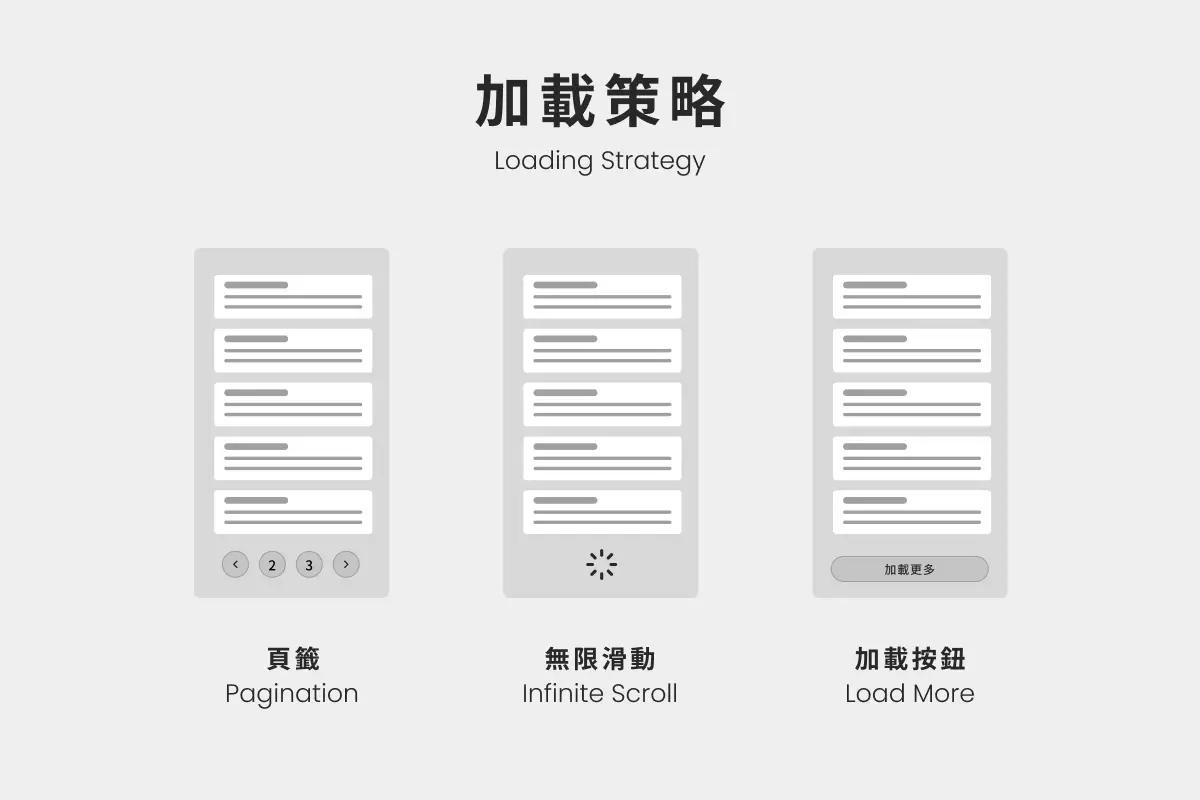
Although we use the Options API at work, this example uses the Composition API. The same logic can also be applied to any program or framework.
Implementation
The “loading” part of infinite scrolling usually involves fetching data from a third party. For this example, however, we can simplify that process by writing a function that returns mock data. The getCards function can then generate the corresponding card data based on the limitsPerPage and currentPage inputs.
/** * @param {number} limitsPerPage Number of items per page * @param {number} currentPage Current page number * @returns {Array} Mock card data */function getCards(limitsPerPage, currentPage) {  return Array.from({ length: limitsPerPage }, () => ({ title: currentPage.toString() }));}
getCards(3, 2); // [{ title: '2' }, { title: '2' }, { title: '2' }]
Defining the Problem and Workflow
Infinite scrolling essentially detects whether the user has scrolled to the bottom of the infinite scrolling component and triggers loading automatically. We can define the requirements more precisely as follows:
- If the component is still in view after loading, keep loading until it is out of view
- If the component is out of view after loading, stop loading
- Stop loading entirely after x pages
To determine whether the target component is in view, we can create a reusable component that detects visibility and emits events. That is the Observer.vue component we will build next.
Step 1: Build the Observer.vue Detection Component
Traditionally, developers would use getBoundingClientRect() to determine the position of a DOM element. However, considering performance, readability, and the intended purpose of the API, the Intersection Observer API is a better choice.
The Intersection Observer API has been widely supported by major browsers since 2019. Its primary purpose is to monitor whether a DOM element enters or leaves another DOM element or the browser viewport, with configurable thresholds for triggering callbacks.
We place an empty, unstyled element at the bottom of the list and configure it to emit custom Vue events whenever its intersection with the viewport changes (when it enters or leaves), executing the corresponding code. Specifically, the encapsulated Observer.vue component looks like this:
<script setup>import { ref, onMounted, onBeforeUnmount, defineProps, defineEmits } from 'vue';
const { observerOptions } = defineProps(['observerOptions']);const emit = defineEmits(['is-in-view', 'is-outside-view']);
const target = ref(null);const observer = ref(null);
const emitInView = () => {  emit('is-in-view');};
const emitOutsideView = () => {  emit('is-outside-view');};
onMounted(() => {  observer.value = new IntersectionObserver((entries) => {    if (entries[0].isIntersecting) {      emitInView();    } else {      emitOutsideView();    }  }, observerOptions);
  observer.value.observe(target.value);});
onBeforeUnmount(() => {  console.log('distory');  observer.value.disconnect();});</script>
<template>  <div ref="target" class="target"></div></template>
The code and concept are straightforward: create a new IntersectionObserver instance when the empty <div> element is mounted, emit the corresponding events, and disconnect the IntersectionObserver instance when the component is destroyed. Place this component at the bottom of the infinite scrolling list, and the @is-in-view event can trigger loading.
<template> <ul class="cards"></ul> <Observer v-if="!(infinteScrollOptions.currentPage > infinteScrollOptions.maxPage)" @is-in-view="handleIsInView" @is-outside-view="handleIsOutsideView" /></template>Step 2: Configure the Required Parameters
An infinite scrolling list requires the following state, which we can initialize at the start:
maxPageMaximum number of pageslimitsPerPageNumber of items per pagecurrentPageCurrent page numberisInViewWhether the component is in view
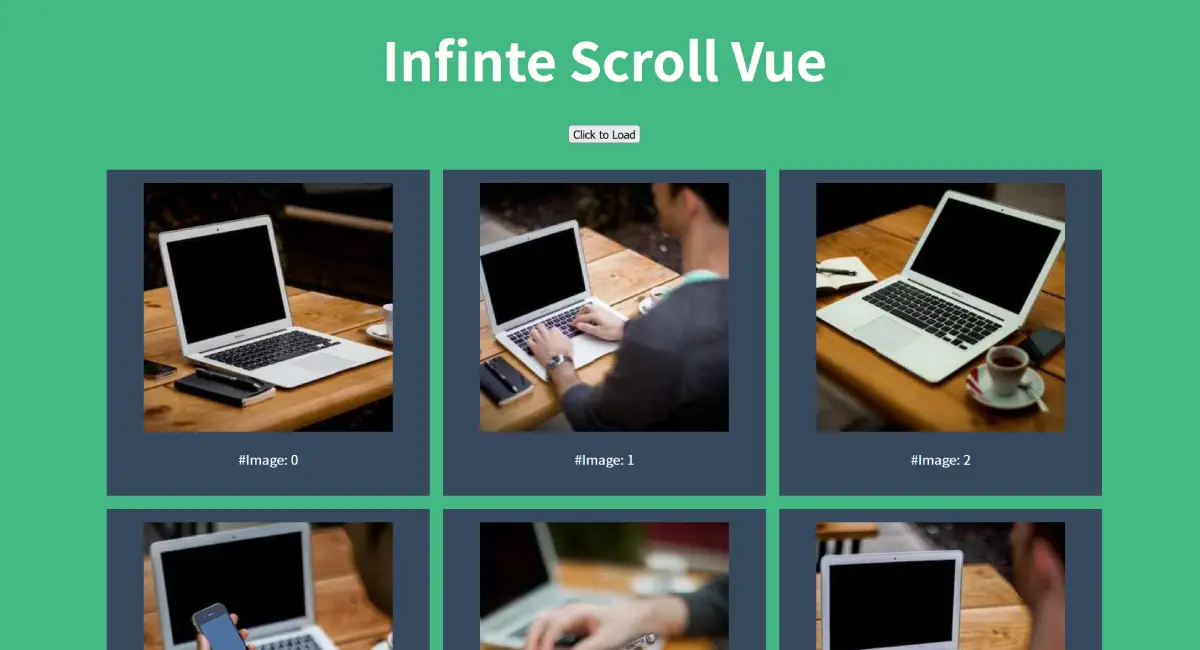
const infinteScrollOptions = { maxPage: 10, limitsPerPage: 1, currentPage: 1, isInView: false}Next, create the first batch of reactive data. Here, I have added random images from picsum to the cards, using index as the image ID (feel free to use any data you want to display):
<script setup>import { ref } from "vue"const cards = ref(getCards(infinteScrollOptions.limitsPerPage, infinteScrollOptions.currentPage))<script>
<template>  <ul class="cards">    <li class="card" v-for="(card, index) in cards">      <img :src="`https://picsum.photos/id/${index}/300/300`" width="300" height="300" alt="Random Image">      <p>        #Image: {{ index }}      </p>    </li>  </ul><template>
Step 3: Implement the Infinite Scrolling Logic
Next, when Observer.vue emits an event, toggle the isInView state to determine whether loading should continue. Loading is triggered automatically only while the Observer component is in view.
During loading, we use the throttle function from lodash to limit the loading frequency to at most once every 300 milliseconds. This serves two purposes:
- Prevent repeated loading before the newly loaded content has rendered, while the list still appears not to fill the viewport
- Prevent performance issues caused by excessive loading requests when users scroll frequently
For more on throttling, see my earlier article: Understanding Debouncing and Throttling Through Animations , which includes animations demonstrating how they work.
import { throttle } from 'lodash';
function handleIsInView() {  infinteScrollOptions.isInView = true;  handleLoadmore();}
function handleIsOutsideView() {  infinteScrollOptions.isInView = false;}
const handleLoadmore = throttle(  function (options = infinteScrollOptions) {    const { limitsPerPage, currentPage, isInView, maxPage } = options;    if (currentPage > maxPage) return;    const newCurrentPage = currentPage + 1;    infinteScrollOptions.currentPage = newCurrentPage;    const newCards = getCards(limitsPerPage, newCurrentPage);    cards.value = [...cards.value, ...newCards];    if (isInView) {      handleLoadmore();    }  },  300,  { leading: true, trailing: true },);
Conclusion
The basic infinite scrolling functionality is now complete. You can adapt states such as loading and loading failures to your requirements; I will not cover those in detail here. You can download the example code from GitHub.
This is a very practical exercise. In particular, building a more advanced infinite scrolling search feature introduced many more states to manage. When I have time, I may write a follow-up article covering the advanced version and explaining how I arrived at the final implementation.
If you have better ideas or spot any issues, feel free to leave a comment below. I would be very interested in trying or discussing different approaches, such as a more immutable implementation, finite-state machines, or the State Pattern!
Further Reading
- Implementing Infinite Scroll with Vue - ErrorBaker Technical Blog
- A Quick Vue 3 Infinite Scrolling Component - LearnVue